Business Tools
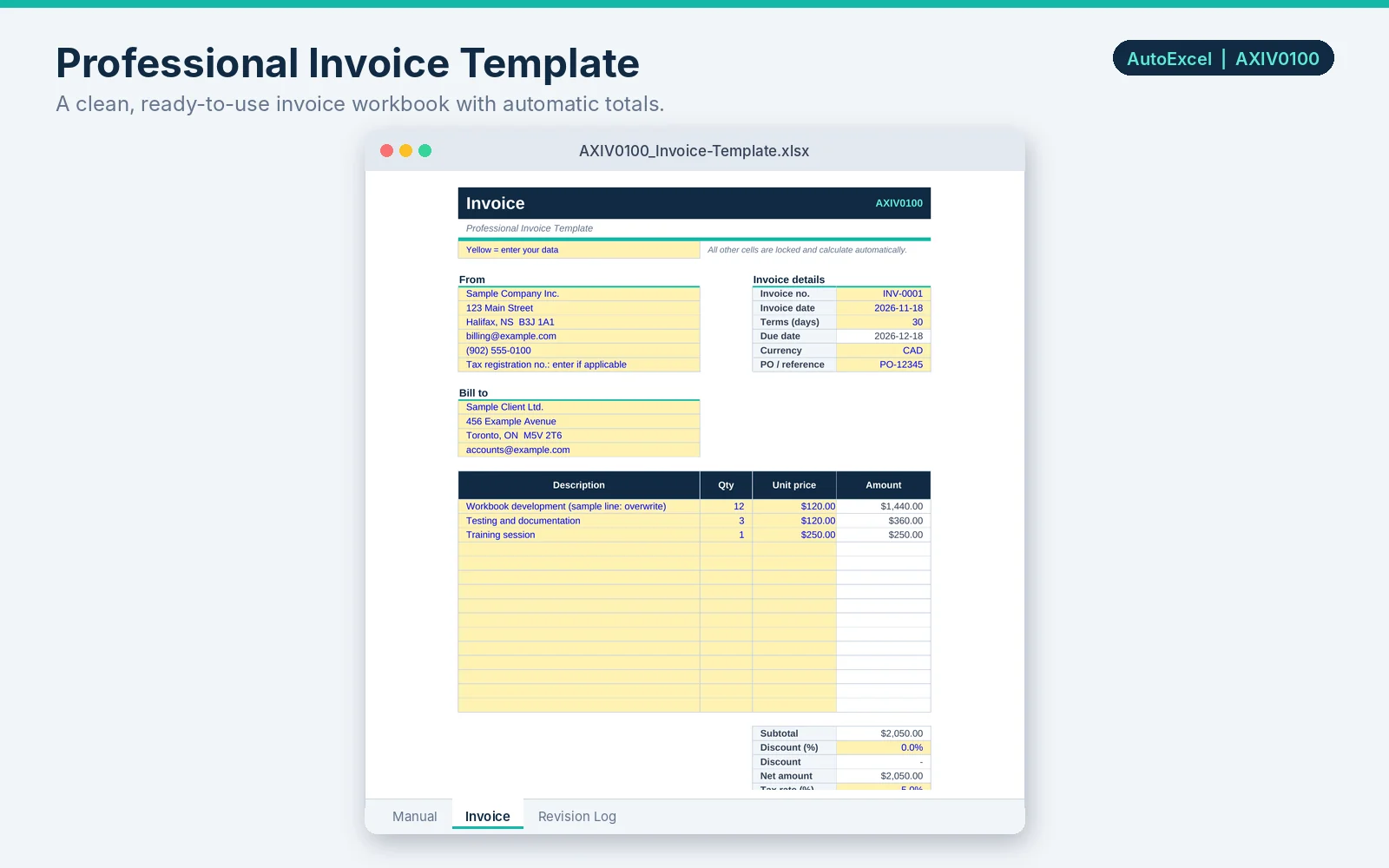
Professional Invoice Template
A clean, ready-to-use invoice workbook with automatic totals.
Excel or Google Sheets
Holiday shopping? The Christmas Budget & Gift Tracker is $15. See it
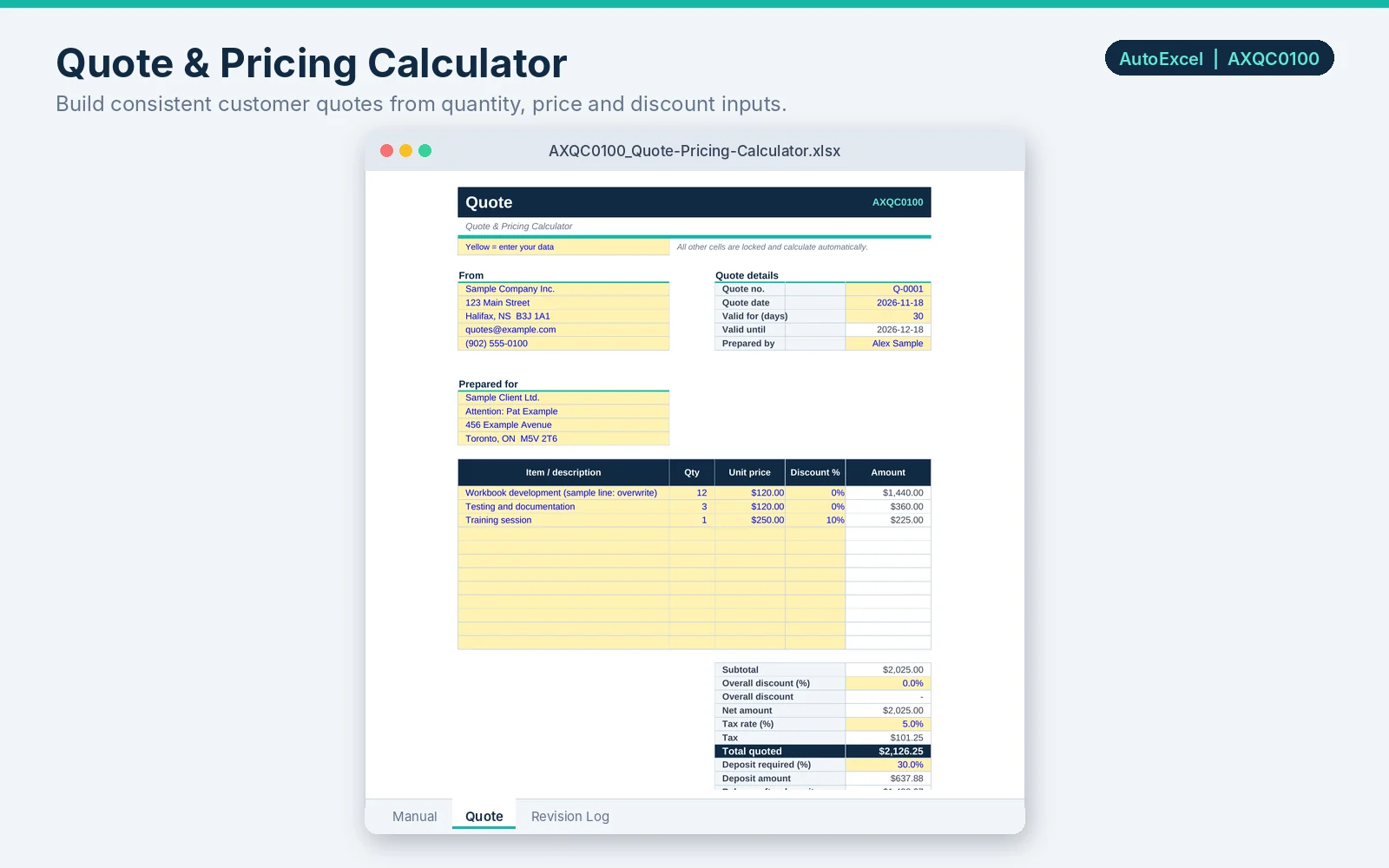
An itemized quote that works out discounts, tax, the total and the deposit, and shows the date the price is valid until.
$19.00
Canadian dollars. One-time purchase, instant download. It's our Quote & Pricing Calculator template.
The workbook
Free preview: screenshots use sample data from the delivered workbook.
A clear quote answers the customer's questions before they ask them:
The quote and the invoice are separate workbooks. When the customer accepts, enter the same lines on your invoice. If you took a deposit, the GST/HST Invoice has an amount-paid line so the balance due comes out right.
Give a discount on a single line, on the whole quote, or both. The quote then applies the one tax rate you enter to the net amount. If you charge GST plus a provincial tax, enter the combined rate.
Yes. Enter the number of days and the valid-until date is calculated from the quote date.
Yes. Enter a deposit percentage and the quote shows the deposit amount and the balance after the deposit.
Yes. Choose Excel (2016 or newer, Windows or Mac) or Google Sheets at checkout. Same price and features, no macros.
No. The quote is its own workbook. When the job is accepted, copy the lines into one of our invoice templates.
Business Tools
A clean, ready-to-use invoice workbook with automatic totals.
Excel or Google Sheets
Canadian Tax
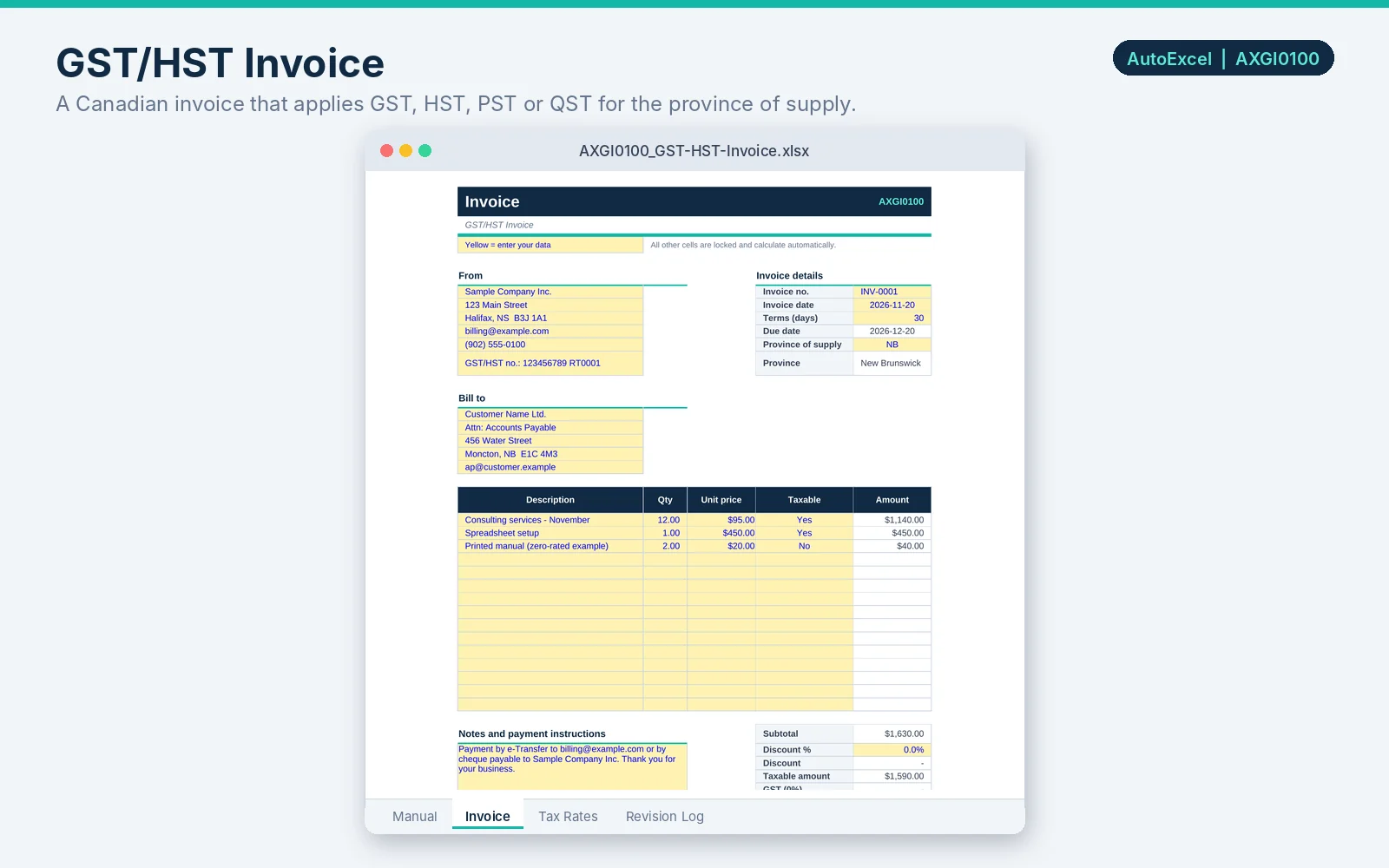
A Canadian invoice that applies GST, HST, PST or QST for the province of supply.
Excel or Google Sheets
Trades & Contractors
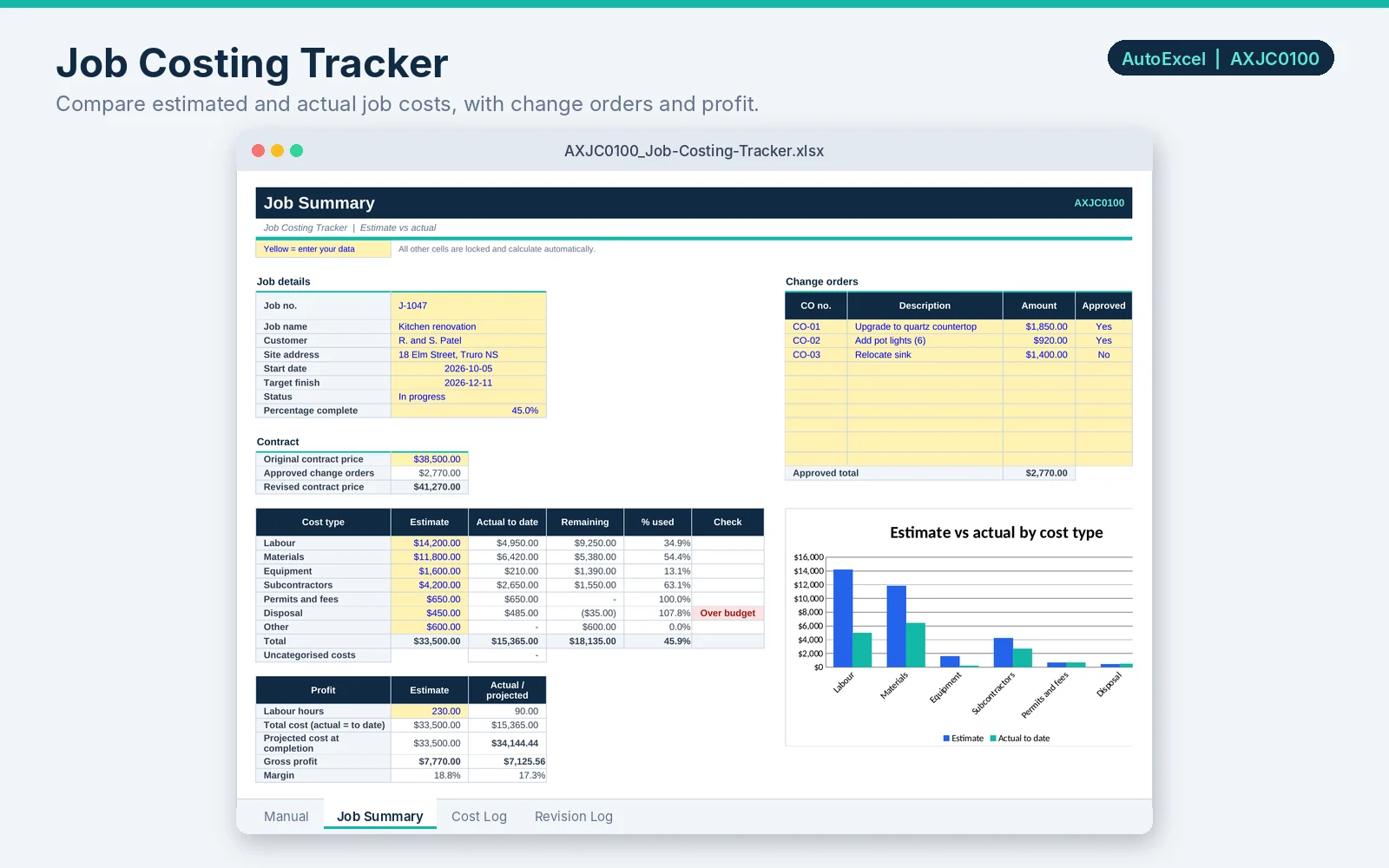
Compare estimated and actual job costs, with change orders and profit.
Excel or Google Sheets