Trades & Contractors
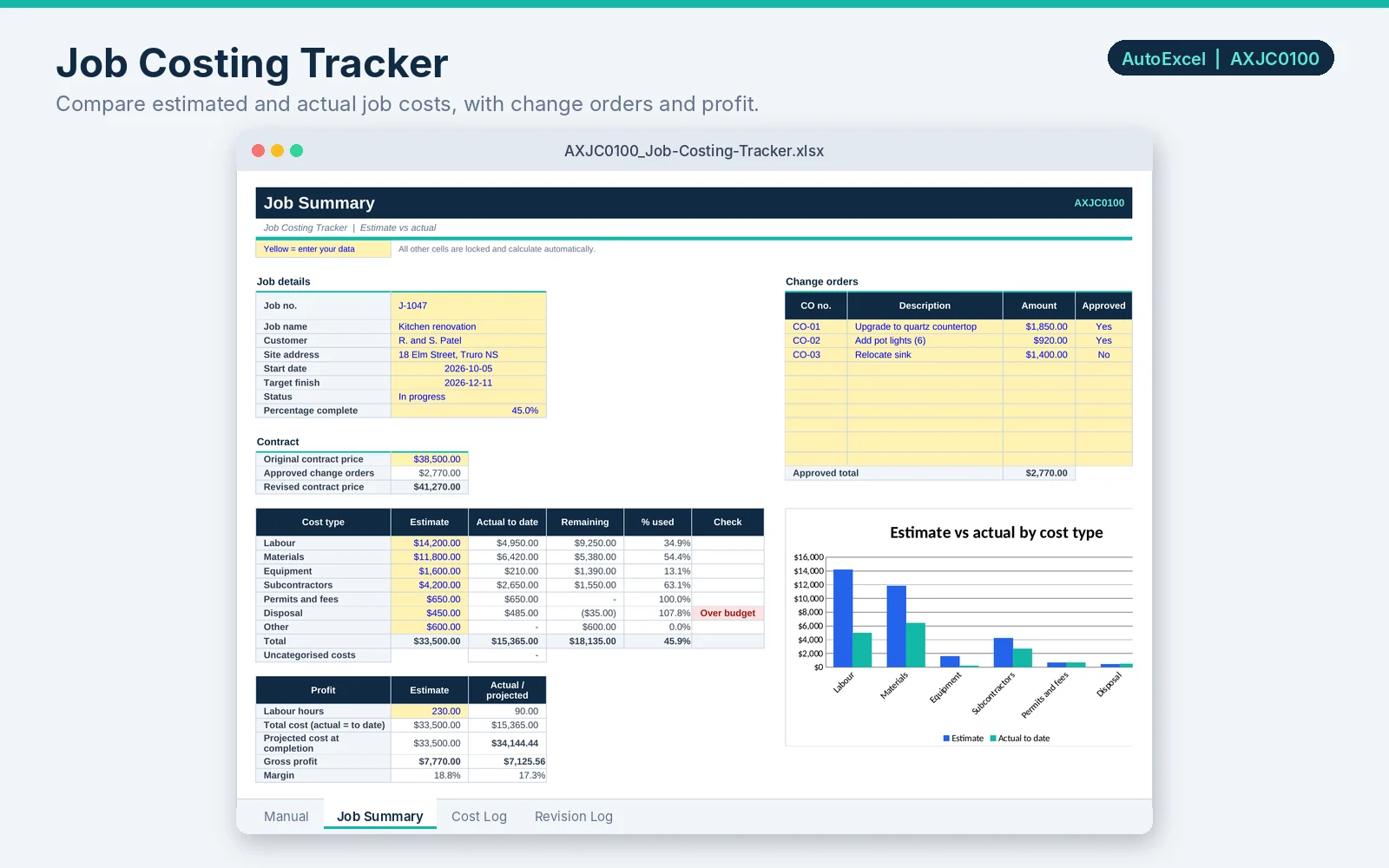
Job Costing Tracker
Compare estimated and actual job costs, with change orders and profit.
Excel or Google Sheets
Holiday shopping? The Christmas Budget & Gift Tracker is $15. See it
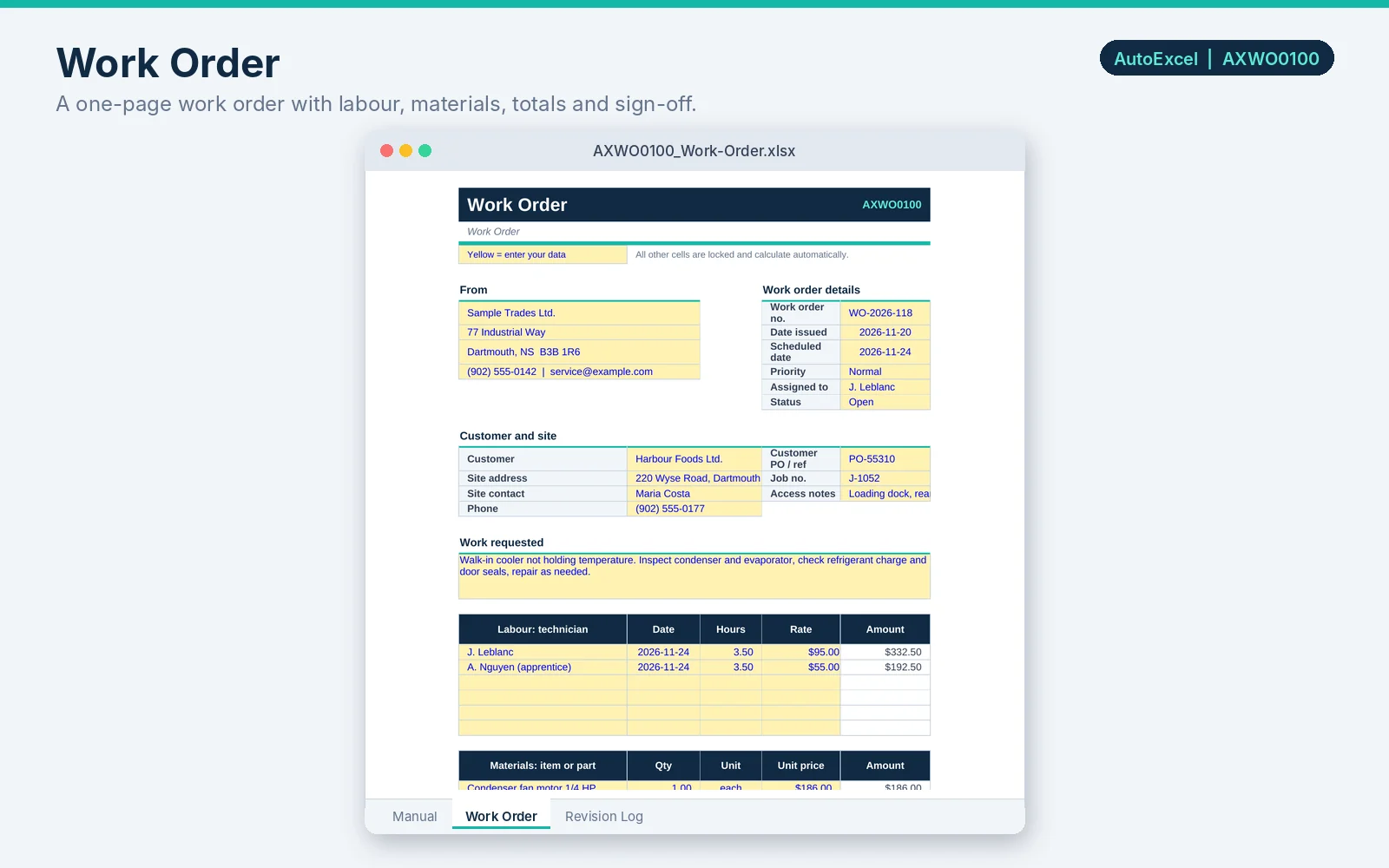
A one-page work order for a job or service call that records the work requested, labour and materials used, the total and the customer's sign-off.
$15.00
Canadian dollars. One-time purchase, instant download. It's our Work Order template.
The workbook
Free preview: screenshots use sample data from the delivered workbook.
Each work order shows its priority, who it's assigned to and its status, so anyone picking it up knows where the job stands. Labour and materials are totalled as you enter them, with tax and other charges added for the job total.
Each file is one work order. Save every completed work order as its own file or PDF, named by work order number.
When the job is signed off, the totals on the work order are what you bill. Enter them on your invoice, and if you want to see whether the job made money, log the costs in the Job Costing Tracker.
No. Each file is a single one-page work order. Save each one as its own file or PDF. For a running list of jobs and their costs, use the Job Costing Tracker.
Yes. Labour, materials and other charges are totalled and tax is added at the rate you enter.
Yes. Choose Excel (2016 or newer, Windows or Mac) or Google Sheets at checkout. Same price and features, no macros.
Trades & Contractors
Compare estimated and actual job costs, with change orders and profit.
Excel or Google Sheets
Trades & Contractors
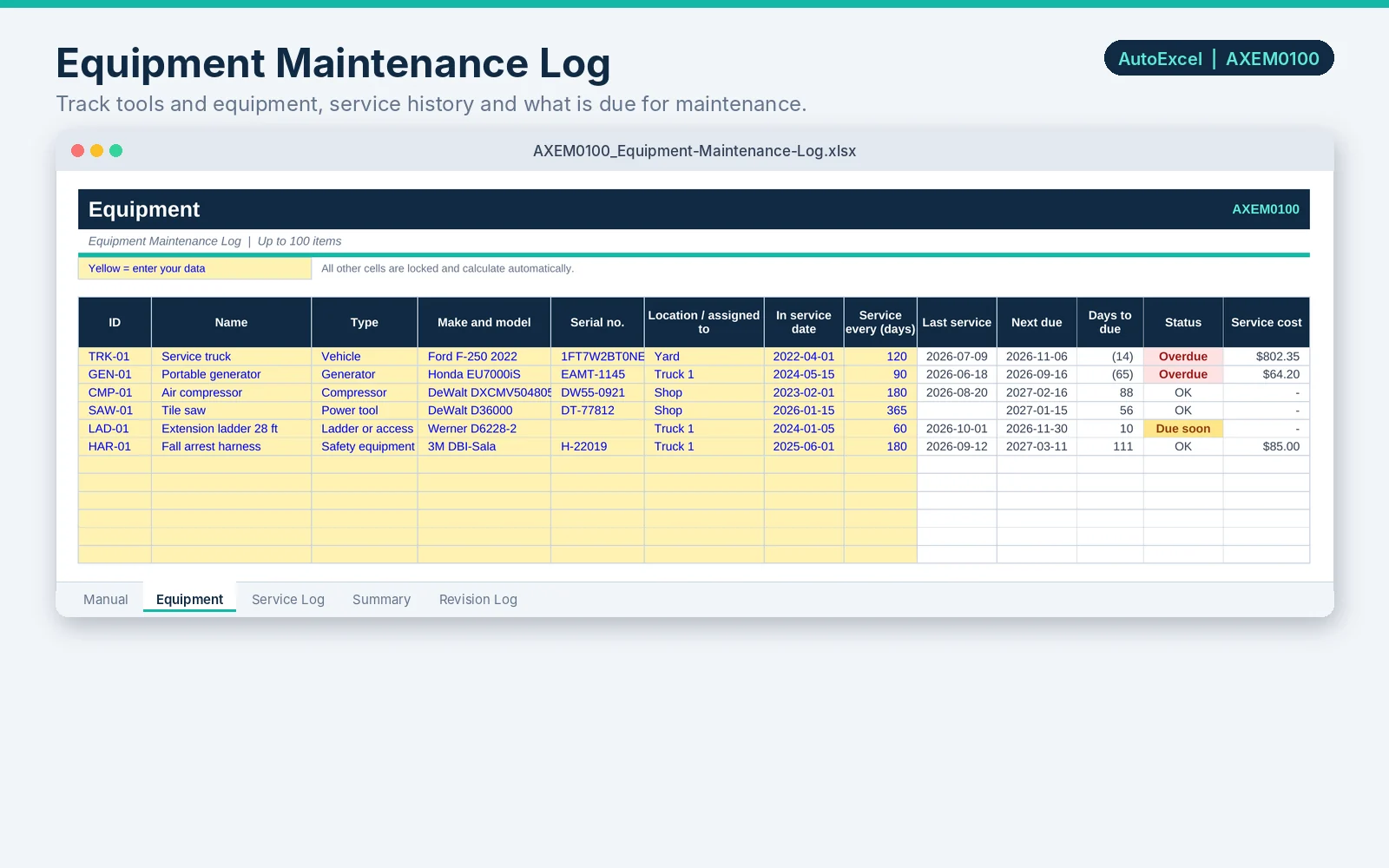
Track tools and equipment, service history and what is due for maintenance.
Excel or Google Sheets
Financial Tools
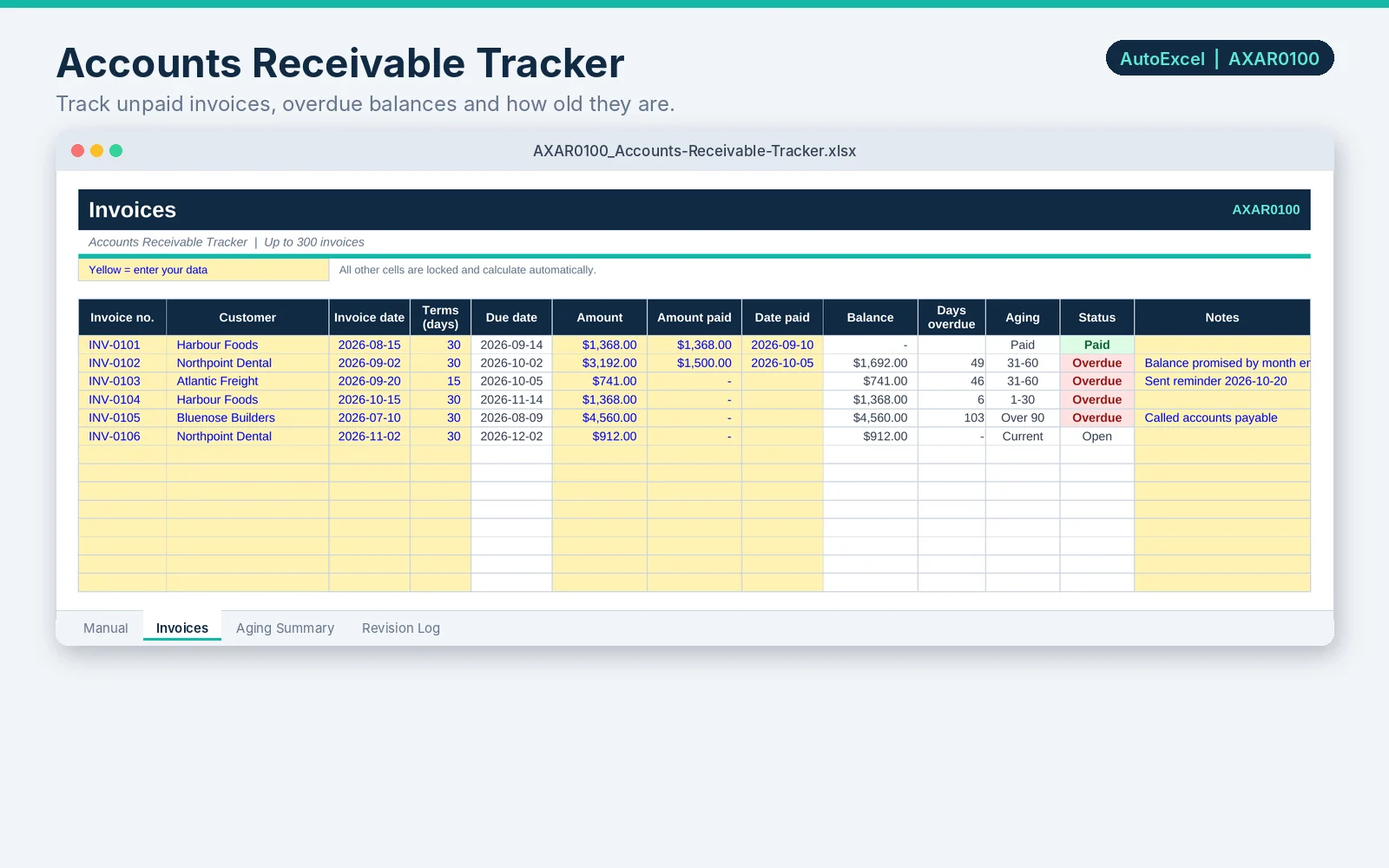
Track unpaid invoices, overdue balances and how old they are.
Excel or Google Sheets